


React.js Course
This course is for you if you:
The course is designed for frontend developers who want to learn the basics of working with the React.js framework.
32 hours
16 lessons
Start expected
Our graduates work in


















Course program
Each session is a live online lesson with practical assignments and feedback.

Drafting the technical specification (T3)
Beginning project implementation
Organizing data flows
Implementing routing
Managing data logic
Upon completion of the course you will be able to

Try
React Essential for free
The first full-fledged lesson with a trainer.
Simple and clear
Lesson structure
120 minutes
Theory
Code analysis
Q&A
Theory - 60 minutes
Code analysis - 45 minutes
Q&A session - 10 minutes
When are classes held?
Group 1
Group 2
Mo
Tu
We
Th
Fr
Sa
Su
Live session with a trainer
Ask questions in real time
1
Live online classes with a trainerGroup classes are held online. This is an effective live communication. All lessons are recorded and available for re-watching.
2
Doing homeworkPractical tasks have been developed for each lesson, which must be completed and submitted in a special LMS system.
3
Check HW and feedbackAll student work is checked and feedback with a score and recommendations is provided for each assignment.
4
Testing and certificationAfter completing the course, students take a final test and receive a certificate confirming their level of knowledge.
Confirm your knowledge
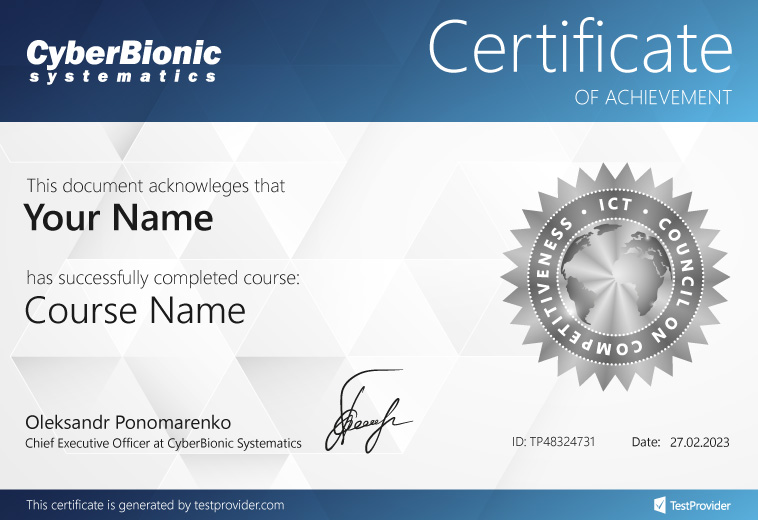
Personalized certificate upon completion of the course
After completing the course and passing the test, you will receive a personalized certificate from CyberBionic Systematics and TestProvider.com, a platform recognized by leading Ukrainian IT companies.
Ready to start studying?
Submit an application and secure your tuition discount
Let's clarify the details and reserve a place.
You'll take the first lesson without cost
Finish your career in IT


Займаюсь на курсі Тестувальник програмного забезпечення.
Дуже задоволена. Матеріал сприймається легко тому що до кожного урока є презентація, стислий опис заняття, відео запис онлайн заняття.
На занятті кожен крок розбираємо по «кісточках», з різних сторон, на прикладах реальних проєктів.
Особисто мені дуже подобається, що окрім практичного домашнього завдання є можливість відпрацювати пройдену тему на реальному проєкті. Це так круто!
Стах кудись подівся щодо нової професії.
Read in full
Confirmed on DOU
Read in full
Confirmed on CyberBionic Systematics
Я проходив навчання в ІТ-школі CyberBionic Systematics і залишився дуже задоволений. До курсів я вже цікавився програмуванням і мав певний досвід, але саме навчання допомогло мені систематизувати теоретичні знання та дізнатися багато нового.
Особливо корисною виявилася підготовка до фінального тесту — ці питання часто трапляються на співбесідах, і отримані знання допомагають мені й сьогодні.
Єдиний недолік — для досягнення хороших результатів потрібно докладати чимало власних зусиль і самостійно вчитися, але це лише мотивує розвиватися далі.
Я дуже радий, що свого часу обрав саме цю школу — це рішення дало мені потужний поштовх у професійному розвитку. Рекомендую CyberBionic Systematics усім, хто хоче якісно вивчити програмування!
Read in full
Confirmed on DOU
Reviews from DOU

Reviews from Facebook

Reviews from Google
Choose your format
Group training with a trainer
2 classes per week
2 hours
or × 7 payments
Payment in installments

7 payments

7 payments
Still have questions?
We'll tell you where to start, what specialty to choose, and how to find your first job in IT.

0 800 337 146


