

Angular Course
This course is for you if you:
Beginner developers and practicing Frontend developers who are getting acquainted with the Angular framework for the first time, as well as learning to build complex logic and project structure.
22 hours
11 lessons
Start expected
Our graduates work in


















Course program
Each session is a live online lesson with practical assignments and feedback.

• Overview of essential tools for starting development
• Creating an application, reviewing the files and folders of the generated project
• Understanding Angular syntax and code structure
• Creating components and registering them via CLI
• Component-based styling approach
• Components and modules in the application, and how they are defined using the Decorator pattern
• Adding images/icons to the project
• Creating a simple project with routing
• Defining different logic for data output
• Styling markup using Angular tools
• Understanding syntax variations and the technical differences in their usage
• Creating reusable templates in the project
• Transforming data using pipes
• Modular architecture in Angular
• Data transfer between components
• Component interaction
• Component lifecycle
• Creating and registering a service
• Local services
• Service scope and their interconnections
• HttpClientModule for server communication
• Two-way data binding
• Reactive forms: Displaying form and field states
• Validators
• Form and field management
• Asynchronous validators
• Dynamic pages and data transfer between them
• Routing restrictions in Angular
Upon completion of the course you will be able to

Try
Angular for free
The first full-fledged lesson with a trainer.
Simple and clear
Lesson structure
120 minutes
Theory
Code analysis
Q&A
Theory - 60 minutes
Code analysis - 45 minutes
Q&A session - 10 minutes
When are classes held?
Group 1
Group 2
Mo
Tu
We
Th
Fr
Sa
Su
Live session with a trainer
Ask questions in real time
1
Live online classes with a trainerGroup classes are held online. This is an effective live communication. All lessons are recorded and available for re-watching.
2
Doing homeworkPractical tasks have been developed for each lesson, which must be completed and submitted in a special LMS system.
3
Check HW and feedbackAll student work is checked and feedback with a score and recommendations is provided for each assignment.
4
Testing and certificationAfter completing the course, students take a final test and receive a certificate confirming their level of knowledge.
Confirm your knowledge
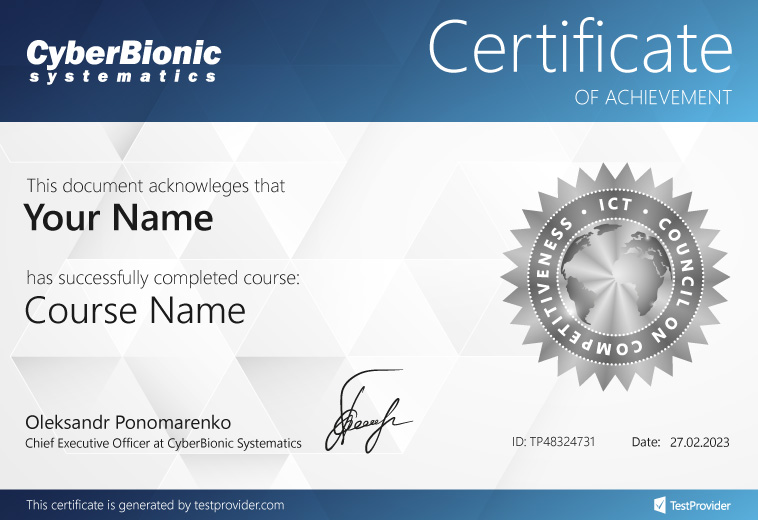
Personalized certificate upon completion of the course
After completing the course and passing the test, you will receive a personalized certificate from CyberBionic Systematics and TestProvider.com, a platform recognized by leading Ukrainian IT companies.
Ready to start studying?
Submit an application and secure your tuition discount
Let's clarify the details and reserve a place.
You'll take the first lesson without cost
Finish your career in IT


Read in full
Confirmed on CyberBionic Systematics
Read in full
Confirmed on CyberBionic Systematics
Read in full
Confirmed on Google
Reviews from DOU

Reviews from Facebook

Reviews from Google
Choose your format
Group training with a trainer
2 classes per week
2 hours
or × 7 payments
Payment in installments

7 payments

7 payments
Still have questions?
We'll tell you where to start, what specialty to choose, and how to find your first job in IT.

0 800 337 146


